Whatnot MultiView — Several Livestreams, One Window
Whatnot is a live shopping platform, and it shows one stream at a time. If you follow several sellers you end up switching back and forth, and browser tabs do not fix it — every tab keeps playing audio, so you spend the auction hunting for the one that is talking. MultiView is a small desktop app that puts the streams in a grid and gives each tile its own volume slider, mute button and solo button. It is open source, MIT licensed, and ships as an installer for all three desktop platforms.
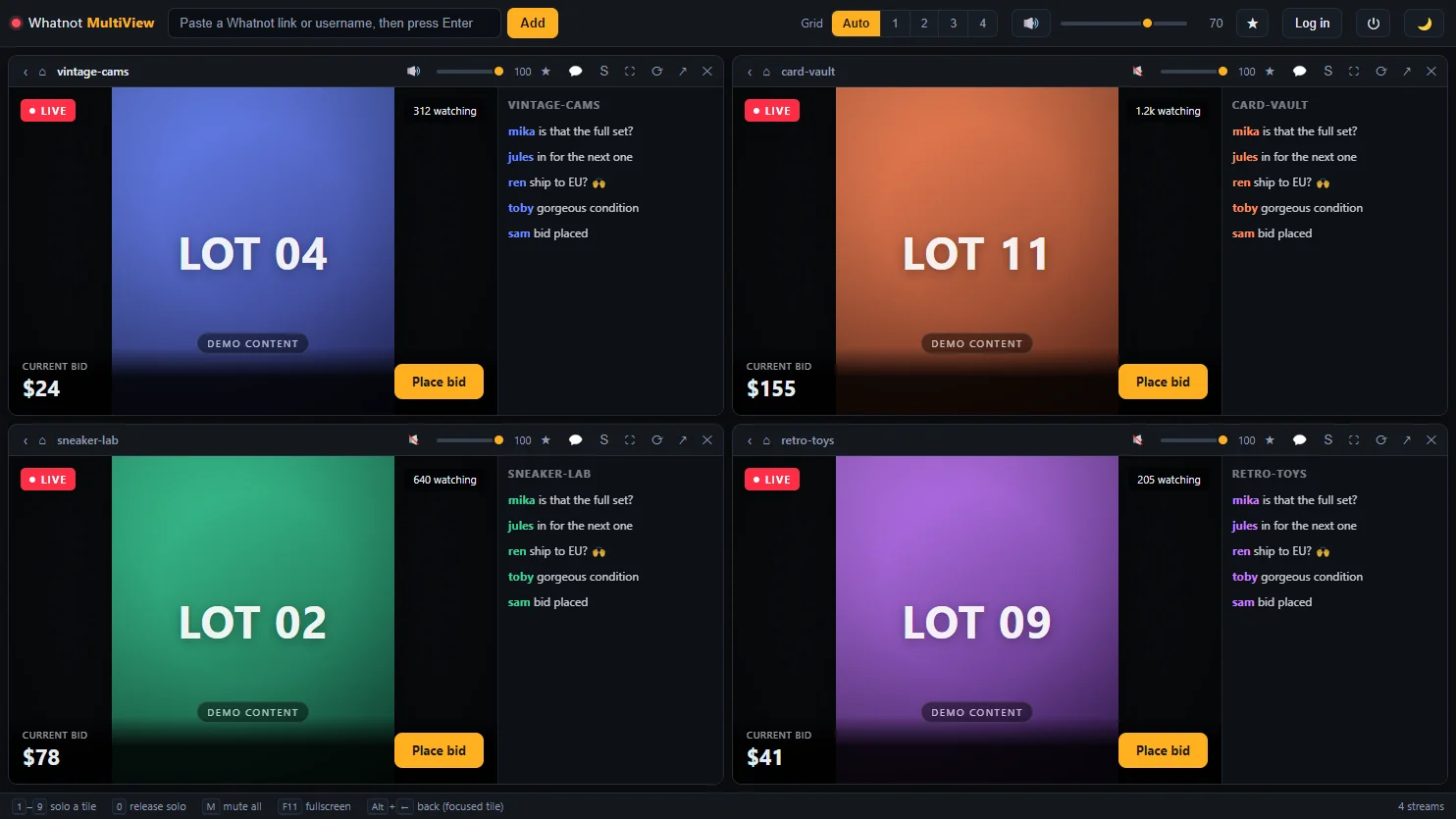
The grid with four streams. The screenshots on this page use a local demo page in place of live streams, so no third-party content ends up in the repository — the interface is the real one.
Why it is a desktop app and not a website
This was the first thing I checked, and it settled the whole architecture in one command:
$ curl -sSI https://www.whatnot.com/ | grep -i x-frame-options
X-Frame-Options: SAMEORIGIN
Whatnot sends X-Frame-Options: SAMEORIGIN together with a strict Content-Security-Policy. No website and no <iframe> can embed those streams — a browser-based multiview is not inconvenient, it is impossible. So the app is Electron, and each tile is a <webview>: a genuine separate browser view rather than a frame, which the embedding restriction does not cover. That also means every tile is a full browser — you log in, browse, chat and bid inside it.
The part the app exists for: audio
Four streams playing at once is useless if you cannot control who is talking. Every tile carries its own strip, and three layers combine in a fixed order: master mute silences everything, an active solo silences every tile but one, and otherwise the tile's own mute decides. An audible tile then plays at tile volume × master volume.

- Solo is the fastest control in the app. Press
1–9and everything except that stream goes quiet — nothing pauses, so you miss nothing when you switch back. - New tiles start muted. Adding a stream never makes everything talk at once; you decide what you want to hear.
- Focus mode lets one tile fill the window while the others keep running unseen, so their audio continues and nothing reconnects when you come back.
- Muting is layered. Volume is set on the page's
<video>elements, but mute is applied at the webview level — so if Whatnot ever rebuilt its player, mute and solo would keep working and only the fine-grained levels would be affected.
Hiding the chat without knowing a single class name
Collapsing the chat gives the video the whole tile, but there is no official way to do it and Whatnot renames its CSS classes without notice. So the app looks for the shape of the page instead: a tall narrow column right of the video in the desktop layout, or — since a narrow tile gets Whatnot's mobile layout, where no such column exists — a scrollable list of many short items, which is what a chat is in any layout. Every candidate is grown upwards to the enclosing panel, rejecting anything that holds the video or covers more than 80% of the page.
Heuristics fail, though, so there is a guaranteed way out: shift-click the chat button and the tile enters picking mode — hover until the chat is outlined, click it once, and that choice is remembered for every tile and across restarts. Alt-clicking copies a structural report for bug reports, carrying layout only and no message content.
What it does
| Feature | What it means in use |
|---|---|
| Per-stream audio | Own slider and mute per tile, plus a master level over all of them |
| Solo | 1–9 hears one stream and silences the rest; nothing pauses |
| Focus mode | One tile fills the window while the others keep playing unseen |
| Chat toggle | Collapse the chat per tile, by heuristic or by pointing at it once |
| Favourites | Star the page a tile is showing and reopen it in one click |
| Flexible grid | Auto-square layout or a forced 1–4 columns, drag to reorder |
| One login | All tiles share a session; it survives restarts |
| Dark by default | Light theme one click away, both as CSS custom properties |
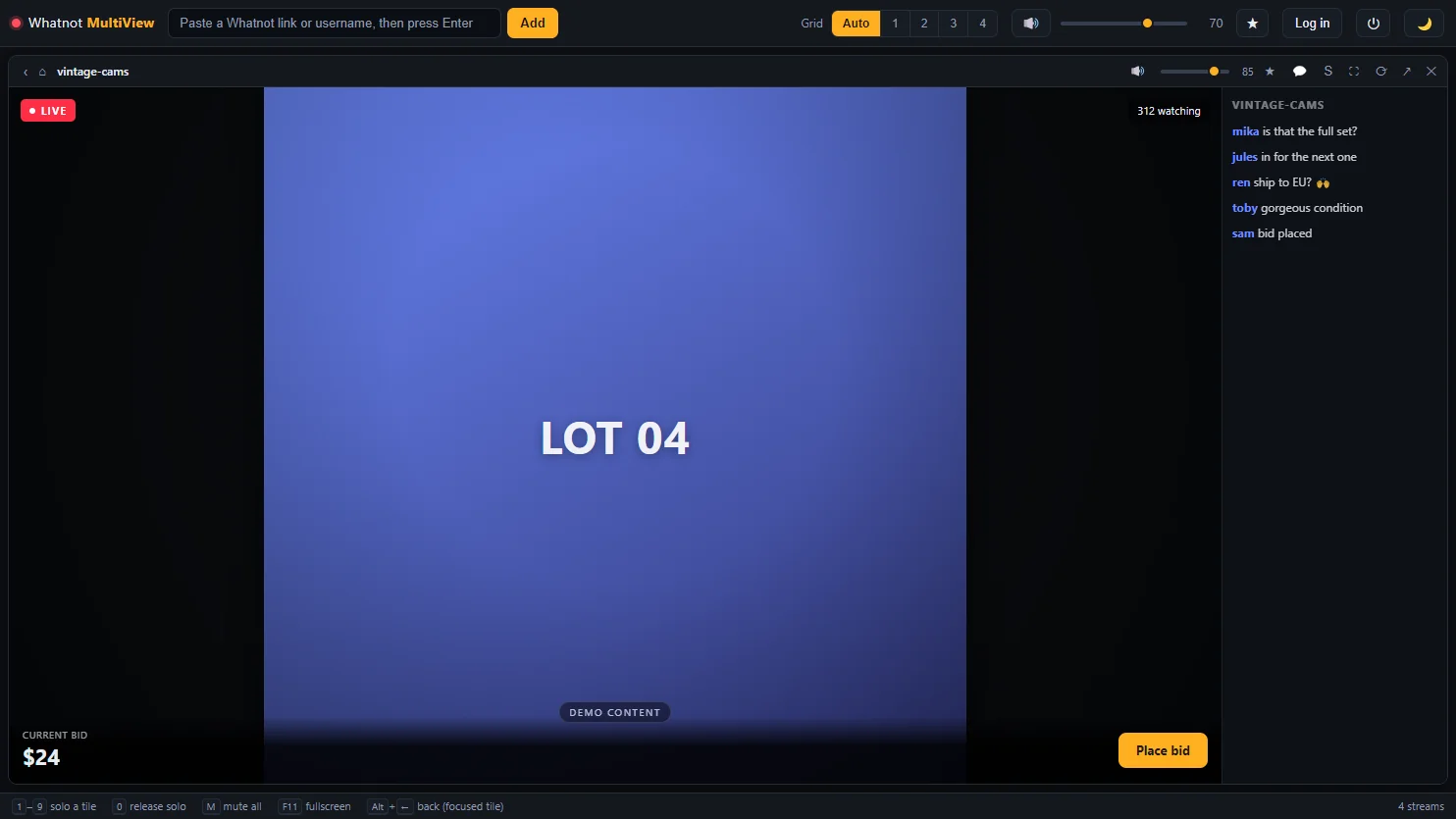
Focus mode. The other three tiles are hidden, not paused — their audio continues.
Build and release
Pushing a version tag builds an NSIS installer, a DMG for both Apple architectures and an AppImage, and attaches them to a GitHub release together with their checksums. A second, dependency-free workflow checks JavaScript syntax and every documentation link on each push — it runs in seven seconds, which is what makes it worth running every time. The screenshots and the app icon are generated from source by a script that renders the real interface with a local demo page in the tiles, so no third-party content or account data lands in the repository.
The builds are not code-signed, so Windows SmartScreen warns on first launch — the button you need is hidden behind More info. Published checksums let you confirm a download is byte-for-byte what CI produced, and building from source avoids the warning entirely.
Not affiliated with, endorsed by, or connected to Whatnot Inc. MultiView is a personal viewer that renders whatnot.com in embedded browser views; you need your own account, and use of the site remains subject to Whatnot's Terms of Service.